How to Choose a Tilt in Space Chair in 2026?
Choosing a tilt in space chair in 2026 requires more than comparing prices, cushions, or attractive digital controls. The right chair should support posture, comfort, pressure management, and safer daily care. It must also match the user’s body, movement abilities, home environment, and caregiver routine.
A practical assessment begins with measurements. Check seat width, seat depth, back height, footrest position, and maximum user weight. A few centimeters can affect pelvic stability and breathing comfort. Test the tilt range with the user seated, not with an empty chair. Observe whether the head remains supported, the knees stay aligned, and the feet remain secure. Small details matter.
Clinical guidance and professional seating assessments can reduce costly mistakes. An occupational therapist or qualified rehabilitation specialist may identify risks that product photos hide. Ask about pressure-relieving materials, frame durability, transfer access, brake design, cleaning, batteries, and service availability. Smart functions may be useful, but they should never replace dependable mechanical performance. Confirm current safety certifications and warranty terms through the manufacturer or authorized supplier.
No checklist is perfect. A chair that works beautifully in a showroom may feel awkward beside a narrow bed. A heavier frame may improve stability but complicate transport. Test the chair over several days whenever possible. Notice skin comfort, fatigue, sliding, caregiver effort, and adjustment noise. These observations often reveal more than sales language. This guide explains the key questions, trade-offs, and practical checks for selecting a reliable tilt in space chair with confidence.
What Is a Tilt-in-Space Chair and Who Needs One?
How to Choose a Tilt in Space Chair in 2026?
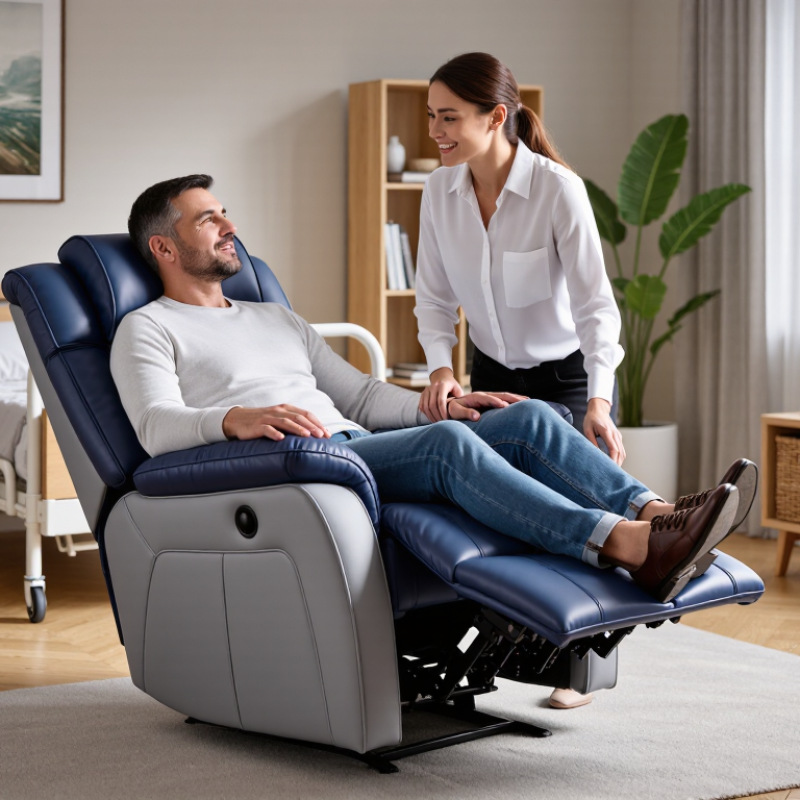
A tilt-in-space chair changes the user’s whole seating angle, rather than opening only the backrest. The seat and back move together. This helps preserve the hip angle and may reduce sliding and shear. It can also support pressure redistribution during long sitting periods. Small adjustments matter. A few degrees can change comfort, breathing effort, and head control.
Who needs one? Consider people with limited trunk control, neurological conditions, severe fatigue, or difficulty repositioning independently. It may also help users who spend many hours seated and face higher pressure-injury risk. The World Health Organization and UNICEF reported in 2022 that more than 2.5 billion people need assistive products globally. Nearly one billion people lack access. That gap shows why correct assessment matters, not just chair availability.
The CDC reports that about one in four American adults has a disability. However, disability alone does not justify a tilt-in-space chair. A physiotherapist or seating specialist should assess posture, skin condition, pelvic stability, transfers, and daily routines. The fit is rarely perfect on day one. Users should test the chair with real clothing, cushions, foot supports, and table heights. NPIAP guidance supports individualized repositioning plans, rather than one fixed schedule. A careful reassessment is still needed.
How to Assess Posture, Support, and User-Specific Requirements
How to Choose a Tilt in Space Chair in 2026?
Choosing a tilt in space chair starts with posture, not appearance.
Observe the user while seated for at least twenty minutes. Short trials can hide discomfort. Check whether the pelvis stays level, the hips remain supported, and the feet rest firmly on the footplates. The back should contact the cushion without forcing the shoulders forward. A small gap behind the knees may prevent pressure and sliding.
Tilt should change body position while preserving alignment. Test several angles slowly. Watch the head, chest, and pelvis after each adjustment.
If the head falls forward, the back support or recline angle may be unsuitable. If the user slides down, the seat depth, cushion shape, or pelvic support needs review. Pressure can build near the sacrum, heels, and shoulder blades, even when the user reports comfort.
User-specific needs matter more than standard measurements. Consider muscle tone, fatigue, breathing, transfers, communication, and daily care routines.
A qualified occupational therapist or seating specialist can assess these factors with clinical tools and observation. Caregivers should also test brakes, foot supports, cushions, and adjustment controls.
My own fitting assumption would be simple:
“More tilt equals more support.”
That is not always true. Excessive tilt may limit interaction, reduce visual access, or make transfers harder.
Reassess after real use, especially following meals, naps, or longer outings.
Which Tilt Mechanisms and Adjustment Ranges Should You Compare?
How to Choose a Tilt in Space Chair in 2026?
Choosing a tilt in space chair starts with the mechanism, not the appearance. Tilt changes the seat and back together, helping maintain pelvic position during repositioning. Recline changes the back angle separately, which may increase sliding or shear. Compare these functions carefully. Some chairs use a center-of-gravity pivot, while others rotate around a fixed axis. A center-of-gravity design can feel smoother and reduce forward movement. However, the actual experience depends on body shape, cushion depth, and setup.
Look closely at the adjustment range. Many chairs offer roughly 0° to 30°, while advanced models may reach 45° or more. A larger range is not automatically better. Small daily shifts, such as 5° or 10°, may provide useful pressure relief without disrupting meals or communication. Check whether the mechanism moves continuously or locks at preset positions. Test the controls from the seated position. They should be reachable, clear, and resistant to accidental activation.
I once assumed maximum tilt was the safest choice. That assumption was wrong. Excessive tilt can affect breathing, vision, transfers, or tube management for some users. Ask a qualified therapist to assess posture, skin risk, trunk control, and transfer needs. Watch the chair in motion. Does the pelvis stay against the back support? Do the feet remain stable? Also compare the return-to-upright movement, frame stability, and caregiver effort. A range that looks impressive on paper may be awkward in real use. Real bodies are less predictable.
How to Choose a Tilt-in-Space Chair in 2026?
Which Tilt Mechanisms and Adjustment Ranges Should You Compare?
Tilt-in-space keeps the seat and backrest moving together, helping maintain the user’s hip angle while changing posture.
Manual mechanisms commonly provide approximately 0°–30° of rearward tilt, while powered systems may provide approximately
0°–45° or more. Fixed-position systems usually offer a narrower preset range. Actual limits vary by chair configuration,
occupant requirements, safety controls, and adjustment stops, so the manufacturer’s technical specification should always be checked.
How to Compare Mobility, Maintenance, Cost, and Long-Term Value
How to Choose a Tilt in Space Chair in 2026?
Choosing a tilt in space chair in 2026 requires more than comparing catalogue prices. Mobility should be tested in real spaces, including doorways, ramps, kitchen turns, and uneven pavements. A chair that tilts smoothly but cannot clear your hallway is not practical. Ask an occupational therapist to assess posture, transfer ability, foot support, and caregiver handling. Try manual and powered controls if fatigue changes during the day. Small details matter.
Maintenance affects daily reliability. Inspect the tilt mechanism, castors, brakes, cushions, and upholstery before purchase. Ask how easily batteries, cables, covers, and tyres can be replaced. Service access is important when the chair supports several hours of sitting. A simple maintenance log can record pressure concerns, unusual noises, and battery performance. Do not assume a complex chair is automatically better.
Compare the full cost, not only the invoice. Include delivery, pressure-relieving cushions, accessories, training, servicing, and possible battery replacement. Check the written warranty and expected service life. Adjustable seat width, back support, and footrests may provide better long-term value as needs change. I once focused too heavily on the initial price and underestimated repair delays. That was a useful mistake. A short trial, documented measurements, and advice from qualified clinicians can prevent an expensive mismatch.
How to Choose a Tilt in Space Chair in 2026? - How to Compare Mobility, Maintenance, Cost, and Long-Term Value
| Chair Configuration |
Typical Tilt Range |
Mobility Profile |
Typical User Weight Capacity |
Typical New-Cost Range (USD) |
Routine Maintenance |
Estimated Annual Upkeep |
Expected Service Life |
Long-Term Value |
| Manual Tilt-in-Space Transit Chair |
Up to approximately 45° |
Designed primarily for assisted mobility; suitable for transport and short indoor trips. |
250–300 lb (113–136 kg) |
$1,500–$3,500 |
Low to moderate; check brakes, fasteners, tires, upholstery, and tilt cables or gas struts. |
$100–$250 |
5–8 years with regular servicing |
High for assisted transport |
| Manual Rehab Tilt-in-Space Chair |
Approximately 45°–60° |
Best for posture support, pressure redistribution, and caregiver-assisted indoor mobility. |
250–350 lb (113–159 kg) |
$2,500–$6,000 |
Moderate; inspect tilt mechanisms, wheel locks, rear wheels, seating hardware, and removable covers. |
$150–$350 |
6–10 years with replaceable components |
Very high when posture support is essential |
| Power-Assisted Tilt-in-Space Chair |
Approximately 45°–55° |
Reduces caregiver effort and allows powered positioning; usually intended for indoor and limited outdoor use. |
250–350 lb (113–159 kg) |
$5,000–$10,000 |
Moderate to high; charge batteries, inspect wiring and actuators, check tires, brakes, and controller function. |
$250–$600 |
5–8 years; batteries commonly require replacement sooner |
High when caregiver time and positioning are priorities |
| Power Wheelchair with Tilt-in-Space |
Approximately 45°–50° |
Independent powered mobility; typical driving range is about 8–15 miles per charge, depending on battery, terrain, load, and temperature. |
300–400 lb (136–181 kg) |
$8,000–$20,000+ |
High; maintain batteries, electronics, drive wheels, casters, seating actuators, and charging equipment. |
$400–$1,000 |
5–8 years; battery replacement is typically expected during ownership |
Very high for users needing independent mobility |
| Bariatric Tilt-in-Space Chair |
Approximately 35°–50° |
Assisted mobility with reinforced frame, wider seating, and higher load capacity; transport space may be limited. |
400–700 lb (181–318 kg) |
$3,500–$9,000 |
Moderate; inspect frame joints, heavy-duty wheels, brakes, seat hardware, and upholstery. |
$200–$500 |
6–10 years when operated within rated capacity |
High when standard seating cannot provide safe support |
| Lightweight or Folding Tilt-in-Space Chair |
Approximately 25°–45° |
Easier to store and transport; usually offers less structural rigidity and fewer adjustment options than full rehab systems. |
220–300 lb (100–136 kg) |
$1,800–$4,500 |
Low to moderate; check folding joints, wheel locks, frame hardware, tires, and seating tension. |
$100–$300 |
4–7 years, depending on folding frequency and transport conditions |
Good for portability; lower value for intensive daily use |
Comparison notes: Cost ranges represent typical new-equipment estimates in U.S. dollars and exclude clinical assessment, accessories, delivery, taxes, and insurance-related charges. Tilt angles, weight capacities, driving ranges, maintenance needs, and service life vary by configuration and user conditions. A qualified seating and mobility professional should confirm fit, pressure-management requirements, transfer needs, transport compatibility, and safe working load before purchase.